

Download Unison – Secure Usenet Newsreader for macOS, Free & Fast
Overview
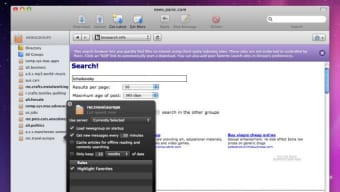
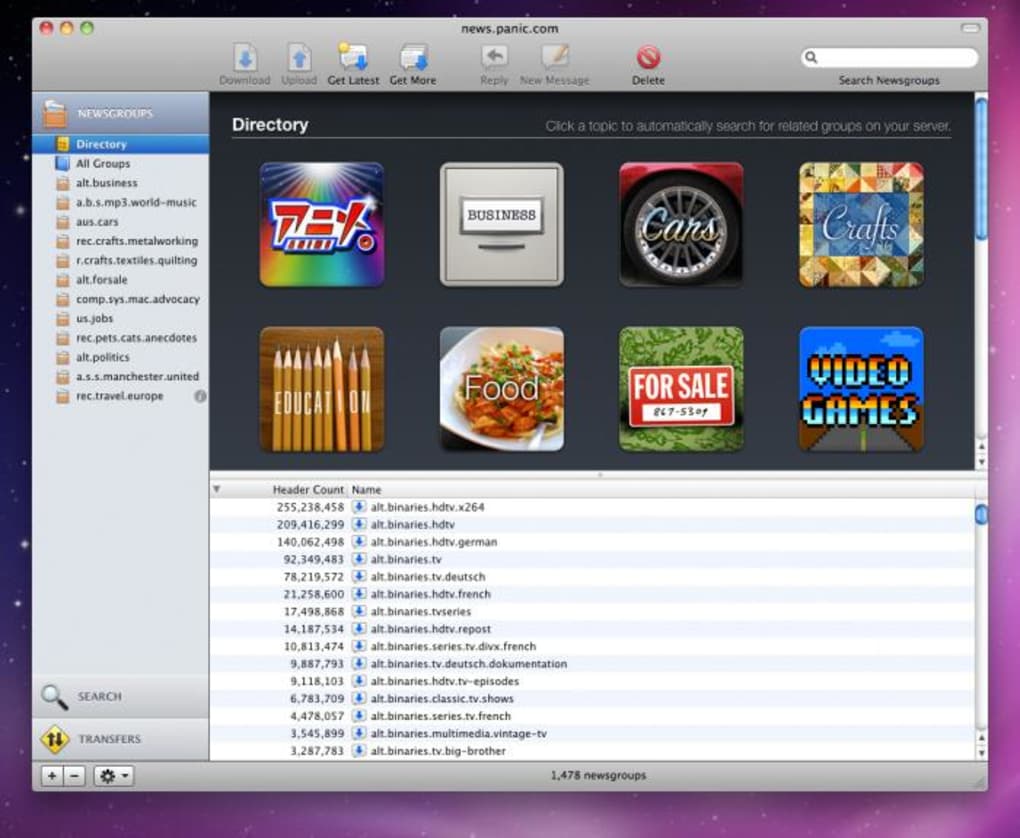
Unison is a dedicated Usenet newsreader built specifically for macOS users who demand a clean yet powerful interface for handling messages, files, media and more. The application embraces a four‑pane layout that simultaneously displays threads, binary files, images and music, letting you switch between content types without leaving the main window. This design makes it easy to browse large newsgroups, download attachments, and keep track of conversations in real time. Unison also packs classic reader features such as threaded discussions, signature management, spell‑checking, and robust blocking tools for nuisance posters.
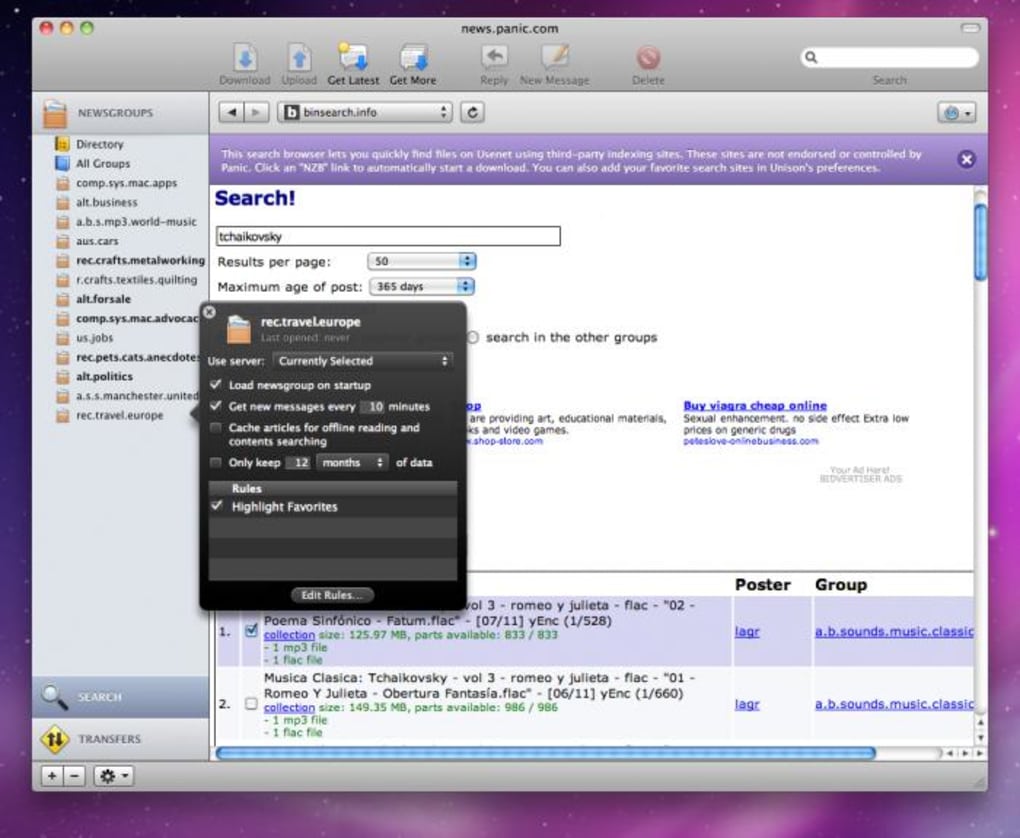
One of the strongest points of Unison is its advanced search engine, which can be combined with custom rules to automatically sort incoming binaries into folders, flag spam, or prioritize downloads. The built‑in download manager supports multiple simultaneous transfers, queue re‑ordering, pause/resume functionality, and priority‑based launching. For power users, Unison offers full‑screen mode, custom favorite groups, and the ability to store files directly within newsgroup folders for quick retrieval later.
Despite its polished look, Unison suffers from stability problems that have persisted since the last release. Users report random crashes when loading images, occasional freezes during large file uploads, and confusing read‑status handling that can make navigation feel erratic. The development team has addressed some recent bugs—most notably a fix for unexpected transfer pauses—but the core instability remains a concern for anyone looking for a reliable daily client.
Compatibility: Unison runs on macOS 10.12 (Sierra) and newer, including Apple Silicon (M1/M2) devices. The app is a native 64‑bit macOS application, meaning it integrates seamlessly with macOS security features and the system keychain for storing credentials.
Installation & Usage Instructions:
- Download the latest DMG file from the official Unison website.
- Open the DMG and drag the Unison icon into your Applications folder.
- Launch Unison for the first time; macOS may prompt you to confirm the app is from an identified developer—click “Open”.
- Enter your Usenet server credentials (host, port, username, password) in the Settings panel.
- Customize your view layout by selecting “Four‑Pane” from the View menu. You can toggle individual panes (Messages, Files, Images, Music) to suit your workflow.
- Use the “Search” bar at the top to locate specific threads or binaries. Apply filters and rules from the “Filters” menu to automate sorting.
- To download a binary, simply drag it to the download queue or click the “Download” button. Adjust priority by right‑clicking the queue item and selecting “High”, “Normal” or “Low”.
- Monitor active transfers in the “Download Manager” pane, where you can pause, resume, or cancel items individually.
- When finished, you can export your favorite groups or saved files via the “Export” option under the File menu.
Key Features and Performance
- Four‑sided interface for simultaneous viewing of messages, files, images, and music.
- Threaded discussion view with advanced sorting and search capabilities.
- Robust blocklist and filter engine to silence nuisance posters and spam binaries.
- Multiple signature management with automatic insertion and editing tools.
- Integrated spell‑checking for composing posts and replies.
- Advanced binary search that works with custom rules for automatic file organization.
- Download manager supporting multiple concurrent transfers, queue reordering, pause/resume, and priority handling.
- Full‑screen mode for distraction‑free reading and downloading.
- Favorites system to bookmark frequently visited newsgroups.
- Support for macOS dark mode and Retina displays.
Pros
- Intuitive four‑pane layout reduces the need to switch windows.
- Powerful search and rule‑based automation saves time when handling large binary groups.
- Download manager is flexible and offers fine‑grained control over queue priorities.
- Native macOS design integrates well with system preferences and appearance settings.
- Full‑screen mode enhances focus during long download sessions.
Cons
- Frequent crashes when loading high‑resolution images or large binary previews.
- Upload operations can cause the app to freeze, especially with files over 500 MB.
- Read‑status marking is unintuitive, leading to confusion when scrolling through threads.
- Stability issues have not been fully resolved in the latest release.
- No Windows or Linux version—limited to macOS users only.
Unison delivers an impressive visual experience and a feature‑rich environment for power users of Usenet on macOS. The four‑pane interface and advanced download manager are standout elements that make managing large newsgroups far more efficient. However, the persistent stability problems—crashes during image rendering and occasional freezes while uploading—prevent it from being a truly reliable daily client. Until the developers address these core issues, I would recommend Unison for occasional use or for users who can tolerate occasional restarts.
Frequently Asked Questions
Is Unison free to download and use?
Yes, Unison offers a free version that includes all core reading and downloading features. A paid “Pro” license is available for users who need additional automation rules and priority support.
Which macOS versions are supported?
Unison runs on macOS 10.12 (Sierra) and newer, including the latest macOS Ventura and Apple Silicon (M1/M2) devices.
Can I import my existing NZB files into Unison?
Yes, you can drag and drop NZB files directly into the download manager, or use the “Import NZB” option under the File menu to add them to the queue.
How does Unison handle spam or nuisance posters?
Unison includes a built‑in blocklist and filter engine. You can add usernames or regex patterns to automatically hide or delete posts from known spammers.
Is there a way to prioritize certain downloads over others?
Yes, each item in the download queue can be right‑clicked and assigned a priority level (High, Normal, Low). High‑priority items are processed first.
Conclusion & Call to Action
Unison stands out in the crowded Usenet client market with its unique four‑pane layout, powerful search engine, and flexible download manager. For macOS enthusiasts who value visual organization and need granular control over binary handling, Unison offers a compelling package that feels both modern and purpose‑built. However, the recurring stability issues—crashing during image previews, occasional upload freezes, and confusing read‑status behavior—remain significant drawbacks that can disrupt workflow.
If you’re willing to tolerate occasional restarts in exchange for a sleek interface and advanced automation, Unison is worth a try, especially in its free version. Power users who need a rock‑solid, always‑on client may want to keep an eye on upcoming patches or consider a more mature alternative until the developers resolve the known bugs.
Ready to experience Unison for yourself? Download Unison now and explore its four‑sided view, robust download manager, and customizable filters. Remember to check for the latest updates to benefit from recent stability fixes, and consider upgrading to the Pro license if you need extra automation features. Happy reading!







